Httpd service is an open-source Http webserver based on the modern operating system like Linux,Windows,and so on.This is the fundamental of Httpd service.This post introduce how to deploy your httpd in your Linux operating system like EulerOS,openEuler,Redhat,and so on.
1.First,you should prepare your Linux operating system on your personal computer/cloud server/server and ensure the network is connecting.Then you have your software repository in your operating system.You can read the directory ‘/etc/yum.repos.d’ to search the repository of software.
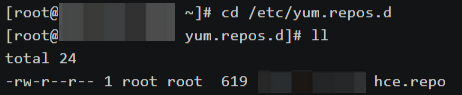
You can configure your software repository in the directory ‘/etc/yum.repos.d’.For example,you want to configure your software repository name abc.repo,you can configure like this:
‘[ABC]
name=ABC
baseurl=(choose your baseurl of software repository)
enabled=1
gpgcheck=1
gpgkey=(choose the RPM-GPG-KEY in the baseurl)’.
2.Second,after the configuration of software repository,you can install httpd package.Input ‘dnf list |grep httpd’ to check packages.Input ‘dnf install -y httpd’ to install httpd package.

3.Third,after the installation of httpd,you can check httpd package and start httpd service.
Check the httpd version.
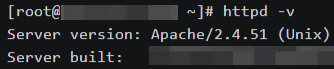
Check the configuration file of httpd.

Check modules of httpd.
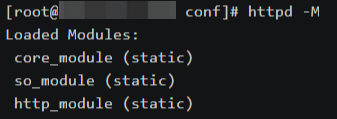
Input ‘systemctl start httpd’ to start the service.
Input ‘systemctl enable –now httpd’ to start the service automatically after booting.
Input ‘systemctl status httpd’ to check the status of httpd.If the httpd service is failed,you can find problems by this command.
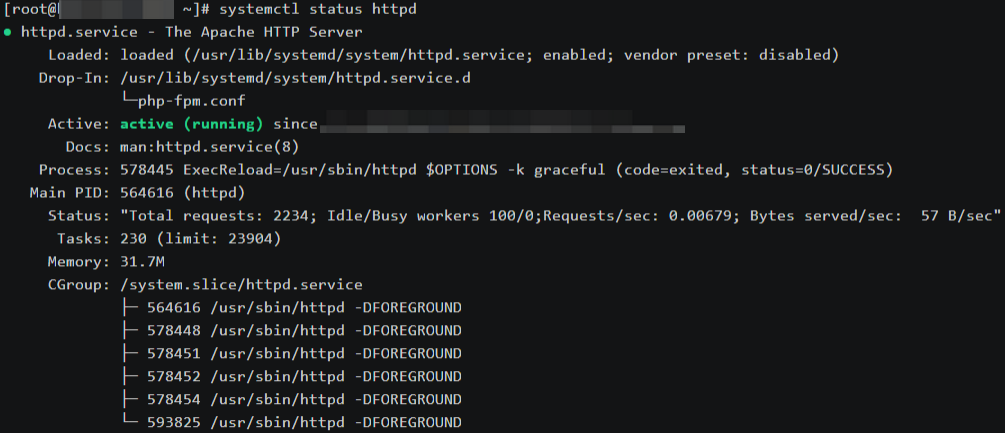
Input ‘systemctl reload httpd’ to reload the service.Input ‘systemctl restart httpd’ to restart the service.
When the httpd service is running.The initial test page will like this.

4.Fourth,you can edit the configuration file of httpd.
The configuration file of httpd located in the directory ‘/etc/httpd’.The main configuration directory is ‘/etc/httpd/conf’,auxiliary configuration directory is ‘/etc/httpd/conf.d’,module configuration directory is ‘/etc/httpd/conf.module.d’.
4.1.The main configuration file of httpd.
The main configuration file is ‘httpd.conf’ located in the directory ‘/etc/httpd/conf’.This is the content of ‘httpd.conf’.
All of configuration file located in the directory ‘/etc/httpd’.

The initial port of httpd service is 80.You can modify port and change the rule of your security group to change the port.

The server name.It can be domain name,can be IP address,and you can add port after the server name.

The document root directory is ‘/var/www/html’,you can add contents in this directory.

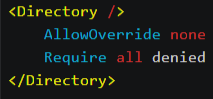
Set the access control authorization.
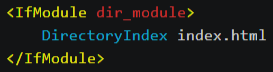
The default website file is index.html.You can edit index.html to edit the index page of your server.
4.2.Auxiliary configuration files.
Auxiliary configuration files located in the directory ‘/etc/httpd/conf.d’.
For example,you can edit ‘module.conf’ in the directory ‘/etc/httpd/conf.d’ to check the status of cloud server.
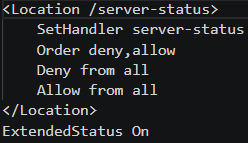
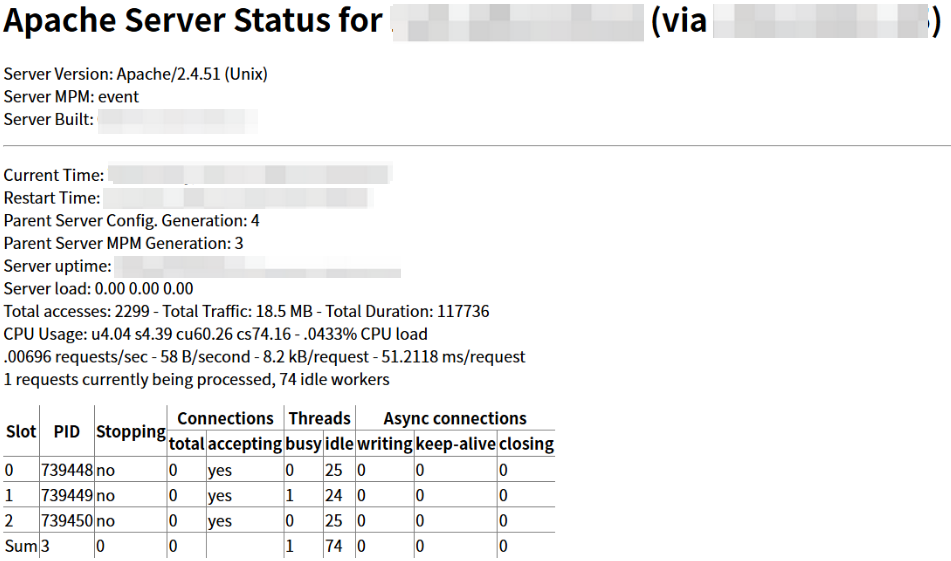
Then reload the httpd service and input IP/server-status to check the status.
If you want to deploy php,or build LAMP/LNMP enviorment.(Linux operating system,Apache/Nginx web server,Mysql/Mariadb database,Php/Python developing language)You can edit the configuration file ‘php.conf’.

Leave a Reply