1.The Container
Container is a vitualization technology which can make package of application and provides PaaS service.
The most common engine of container is Docker,Containerd,Podman and so on.
2.How to install a docker?
First,you need check your software repository and install docker,containerd.io,docker-compose,and so on.It depends on your operating system.
Then,If your software repository don’t have any package of docker,you can add the official repository of docker.Input ‘dnf install -y yum-utils’.And then input ‘yum-config-manager –add-repo (repository url)’.You can choose your repository in https://download.docker.com/,it depends on your needs,depends on your operating system.
Finally,install docker and containerd.io package by ‘dnf install -y (package)’ command.
3.SoftWare Repository for Container
You can register your account and refer to the relative official website(or platform) to use the container service.In the Experience Center,you can learn how to login in your docker account,and pull/push any images.

In the Software Repository for Container page,there are many manuscripts.You can learn how to pull/push the image,how to run the image,how to configure the image accelerator.The accelerator file is ‘/etc/docker/daemon.json’.You can choose the image in the image center.
4.How to run a docker?
Input ‘docker pull hello-world’ to pull ‘hello-world’ image.Input ‘docker images’ to check the image list.

Input ‘docker images hello-world’ to screen out the ‘hello -world’ image.

Input ‘docker run hello-world’ to run the ‘hello-world’ image.
5.How to start the nginx service by docker?
The image ‘nginx:latest’ is in the repository.

In the nginx service,the default port is 80.Input ‘nestat -tnlp |grep 80’ to check the 80 ports.

The port 80 is occupied,and the httpd service is running.

If the port 80 is occupied(running a service,running another docker,and so on),you can change a new port to run your nginx docker image.Input ‘docker run -d –name MyNginx -p 81:80 nginx’ to run the nginx image.In this command,’-d’ means ‘detached mode’,the docker image is running in the backstage;’MyNginx’ is the name of running docker image;’-p’ means the port,81 is the port of the docker process,80 is the default port;the end is the docker image name.
When the docker is running,you can input ‘docker ps’ to watch it.

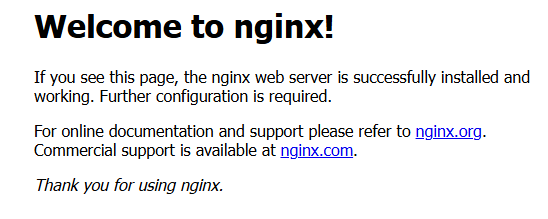
Input ‘IP(or domain name):port(81)’,you can see this page.
6.How to start the nextcloud by docker?
Pull the nextcloud image first,input ‘docker pull nextcloud’.
The port of nextcloud process is 81.If the port 81 is occupied by the nginx image,then input ‘docker stop MyNginx’.


Input ‘docker ps’,there’s no running images.

And then,input ‘docker run -d –name MyNextCloud -p 81:80 nextcloud’ to start the nextcloud.If MyNextCloud is created,input ‘docker start MyNextCloud’ to start it.
Finally,you can visit your nextcloud by ‘IP(or domain name):port(81)’.Nextcloud is the personal network disk.You can store your file,your data in the nextcloud.

If you want to run the nextcloud image by docker compose,you can configure the software repository and install the docker compose package.You can edit relative yaml file,and input ‘docker compose up -d’ to start the nextcloud.
Leave a Reply