Premise:When the Ceph cluster have problems,how to fix it?How to remove the error host?
There many troubleshooting steps.
1.Check the web page by https://IP:8443
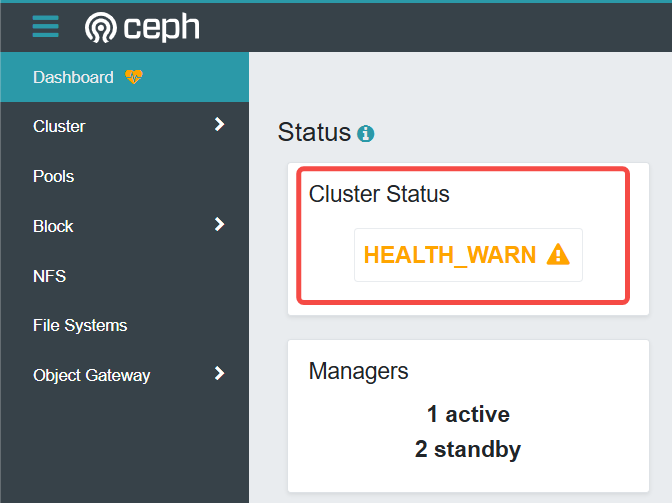
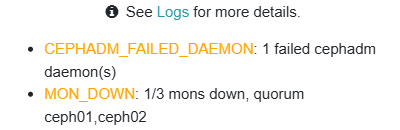
2.Check the status of ceph cluster in ‘ceph01’ host in the ‘cephadm shell’
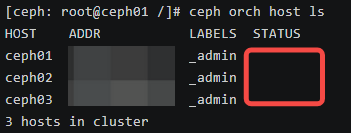
Check status of hosts in the cluster by ‘ceph orch host ls’.If status is ‘Offline’,the host is not in the cluster.
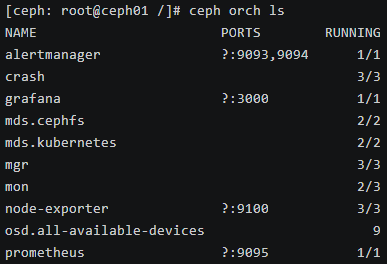
Check service of ceph cluster by ‘ceph orch ls’.There is a mon service not running.
Check each service of host by ‘ceph orch ps’.The mon(monitor) service of ceph03 is error.
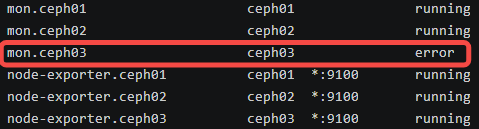
3.Check the mon(monitor) service of ceph03 host
Search the monitor service by ‘systemctl -l | grep mon’ service.

Start the service.When the service can’t start normally,check the status of the monitor service.

There are two methods to resolve it.One is read logs,then fix the problem,and then restart monitor service in ceph03 host.The other is remove ceph03 host(when ceph03 host is destructed).
4.Remove services and OSD’s of ceph03
Before the removal of ceph03 host,you need remove services and OSD’s of host.
Don’t remove host directly before the removal of services and OSD’s.
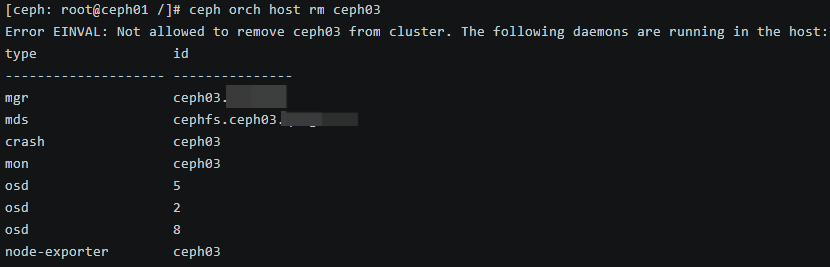
Remove all service of ceph03 by ‘ceph orch host drain ceph03’.
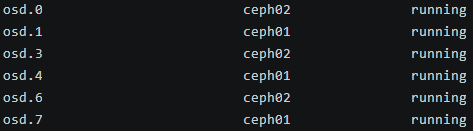
Check OSD’s by ‘ceph orch ps’.
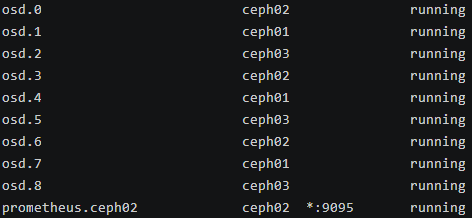
There are 3 OSD’s in ceph03:‘osd.2’,‘osd.5’,‘osd.8’.Stop them.
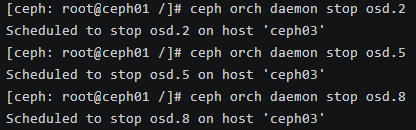
When OSD’s stopped,remove them.
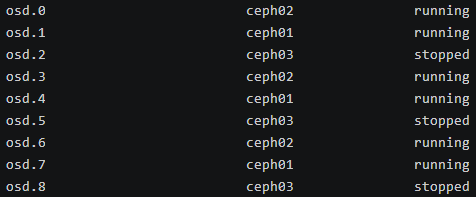
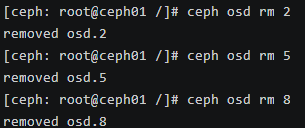
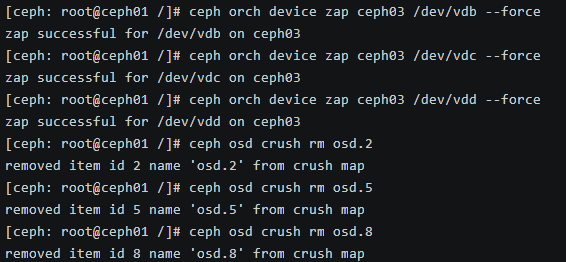
Erase dada of disks in the host,and delete OSD mapping of the CRUSH.
If removal is not successful,remove again forcely.
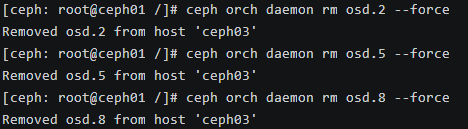
OSD’s are successfully removed.
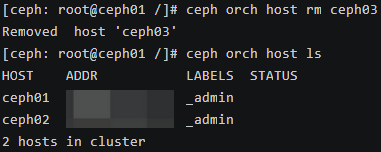
5.Remove ceph03
Leave a Reply