The Deployment of Ceph Cluster
After the deployment of ceph cluster,the subsequent management work will run throughout the entire ceph lifecycle.Creation and management of pools is essential.Before the management of ceph cluster,you should have a ceph cluster,you can refer the manual of deployment of ceph.
1.RADOS(Reliable Autonomic Distributed Object Store)
RADOS is the basis of ceph cluster,consists of intelligent nodes which can self-healing and self-managing.Ceph supports variable access methods:
LIBRADOS:RADOS Library;
RADOSGW:RADOS Gateway,provides object storage to external parties.
RBD:RADOS Block Device,provides block storage to external parties.
CEPH FS:Provides file storage to external parties.
2.Pool
Pool is the conception of ceph cluster,deposit objects.The pools are isolates from each other.PG(Placement Groups) is the subset of pool,gather of objects.
Input ‘ceph df’ to acquire avaliable space of ceph cluster.
Input ‘ceph osd df’ to check situation of OSDs in the cluster where pool located.
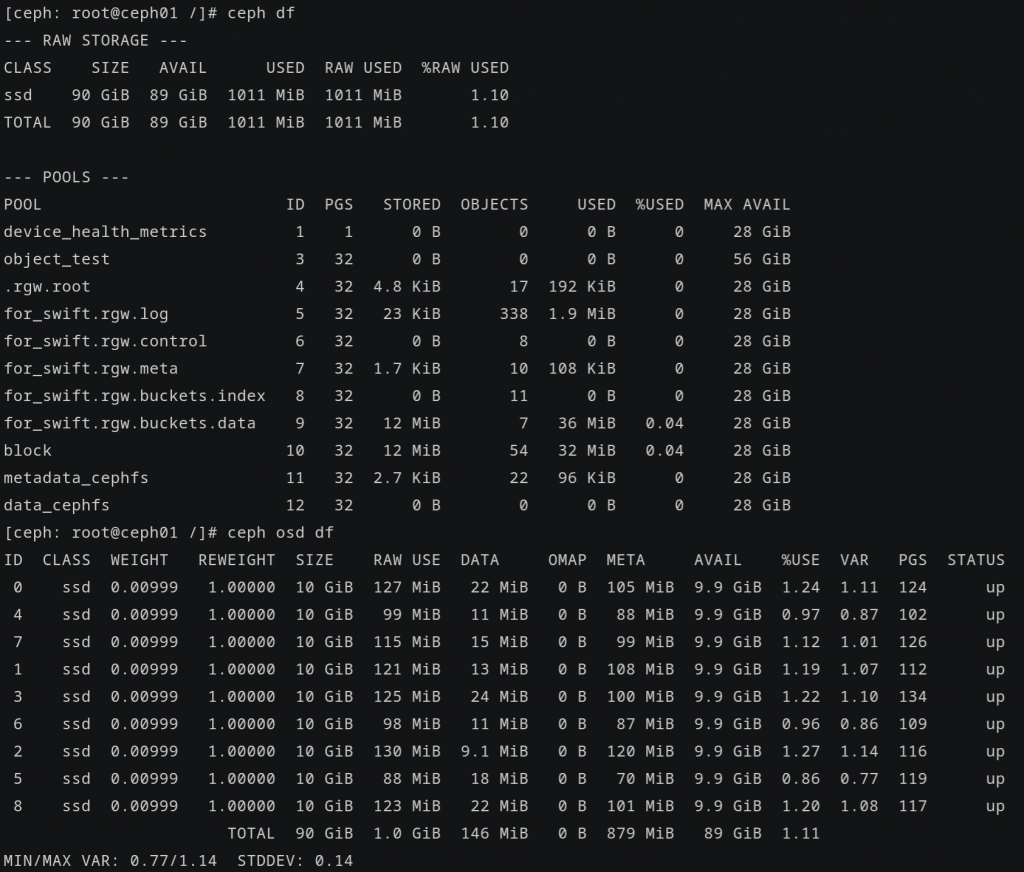
Pool ‘device_health_metrics’ is the default pool of ceph cluster.
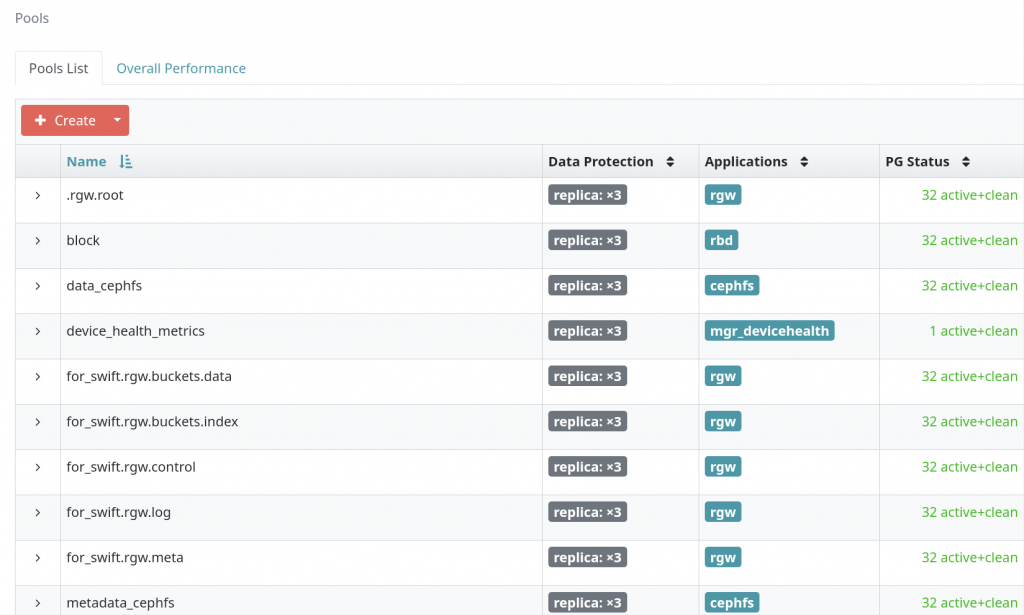
Input ‘ceph osd pool create object_test’ to create the pool.Watch details of the pool ‘object_test’ by ‘ceph osd pool ls detail | grep object_test’ command or ‘ceph osd pool get object_test all’.
3.Object Storage
Object storage is the massive storage service which based on objects.The basic unit of object storage is the object. An object is the combination of the file data and it’s attribute information,includes key,metadata,data.
4.Block Storage
4.1.Conception
Ceph block storage based on RADOS.After simplified configuration and memory size adjustment,implement data striping on multiple OSDs.It can realize the consistency of snap,duplication and storage.
Application can visit ceph block storage by Librbd user mode interface,the client side — librados.so database connect the cluster;or by Krbd kernel mode interface — map the block device to the host device using the rbd command,lcan be mounted the specified directory.
4.2.RBD Creation in the Ceph01 Host
Input ‘ceph osd pool create block’ and ‘ceph osd pool application enable block rbd’ to create the pool ‘block’,then set the type ‘rbd’ in ceph01 host.

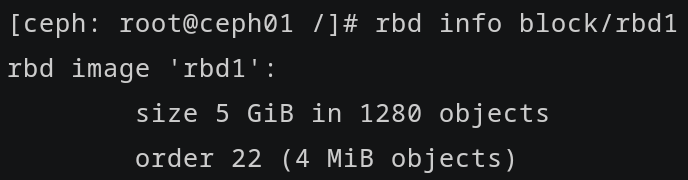
Input ‘rbd create –size 5G block/rbd1’ to create the rbd device and input ‘rbd info block/rbd1’ to check it.
Then,create the user,grant user read and write permission to all rbd devices.And then,export the keyring file of user and copy to the directory ‘/etc/ceph’ of client host.In this example,the keyring located in the ‘/etc/ceph’,and the name is ‘ceph.client.block.keyring’.
4.3.RBD Mounting in the Client Host
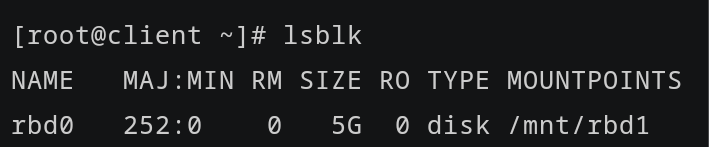
First,input ‘rbd map block/rbd1 –name client.block’ in the client host to map the rbd to client host.Input ‘lsblk’ to check the rbd device.
Then,make filesystem of ‘/dev/rbd0’ and mount to the directory ‘/mnt/rbd1’.

If you want to set automatic mounting upon startup,append ‘/dev/rbd/block/rbd1 /mnt/rbd1 xfs defaults,_netdev 0 0’ in ‘/etc/fstab’.
And then,edit the ‘/etc/ceph/rbdmap’.

Input ‘systemctl enable –now rbdmap’ to start the rbdmap service and set it automatic startup upon power-on.
And then,reboot the client host,and check the rbdmap service and rbd device after rebooting.
4.4.Solutions When the Rbdmap Service is Failed After Rebooting
Problem:After rebooting the client host,the rbdmap service is not running,and the rbd device is disappeared.
This is the checklist:
1.Check the file ‘/etc/fstab’ and ‘/etc/ceph/rbdmap’.
2.Check the permission of the user.
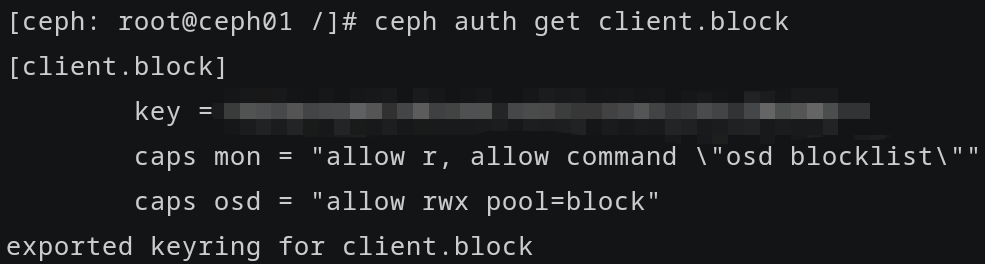
User ‘block’ must have read and execute permission to the pool,and have read permission to the monitor. If user ‘block’ doesn’t have any permissions,input “ceph auth caps client.block mon ‘allow r’ osd ‘allow rwx pool block’” to grant permission.
3.Check the mod.

If the mod is not loaded,input ‘modprobe rbd’ to load it.Or ‘modprobe -r rbd’ to detach it and ‘modprobe rbd’ to reload it.
4.Check the safety setup of rbdmap service.
Input “systemctl show rbdmap.service | grep -iE ‘(ProtectKernelTunables|PrivateMounts|NoNewPrivileges|ProtectSystem|ProtectHome|ReadWritePaths)’”.

You can edit ‘/etc/systemd/system/rbdmap.service.d/override.conf’ to modify it.Recommended parameter is ‘ProtectKernelTunables=no’;‘ProtectSystem=no’;‘PrivateMounts=no’.
5.Read system logs.
Input ‘dmesg | tail -20’ to read logs.
6.Check the file ‘/sys/bus/rbd/add’.
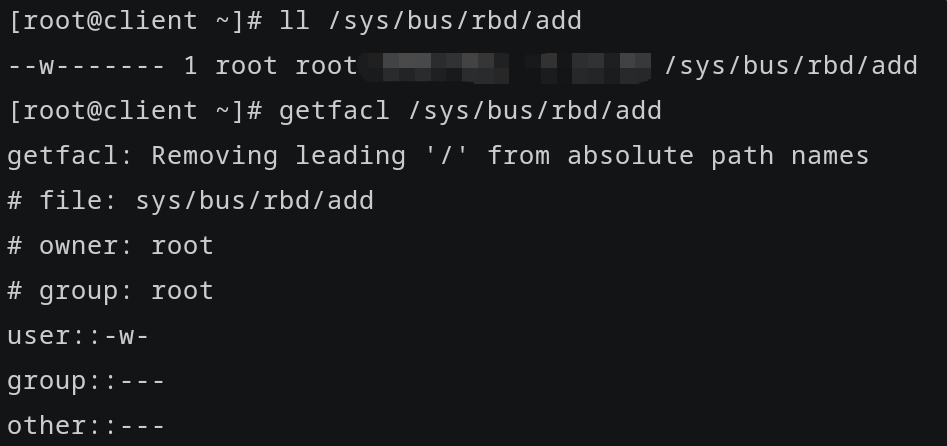
Write test contents.

If ‘permission denied’ when writing,it means kernel lockdown.
7.Check the exclusive lock of RBD mirror.
Check the lock in ceph01 host.

Remove the lock of block/rbd1 by ‘rbd lock rm block/rbd1 “(ID)” (Locker)’ command.
Finally,after checking,you can back to client host and remap by
‘rbd map block/rbd1 –id block –keyring /etc/ceph.client.block.keyring’.
Check the rbd device.

Input ‘systemctl restart rbdmap’ to restart the service and input ‘lsblk | grep rbd’ to check.
Leave a Reply